[PROTIP][NOTED] Kill Windows 10 Advert Spam & Shit Tasks in Task Scheduler
STEP A: Uninstalling
 |
powershell
get-hotfix -id KB3035583, KB2952664,KB2976978,KB3021917,KB3044374,KB2990214
exit
[I had the following 4 "updates":]
wusa /uninstall /kb:2952664
wusa /uninstall /kb:2990214
wusa /uninstall /kb:3021917
wusa /uninstall /kb:3035583
STEP B: Hiding
"Control Panel\All Control Panel Items\Windows Update\Select updates to install"
"Hide Update"
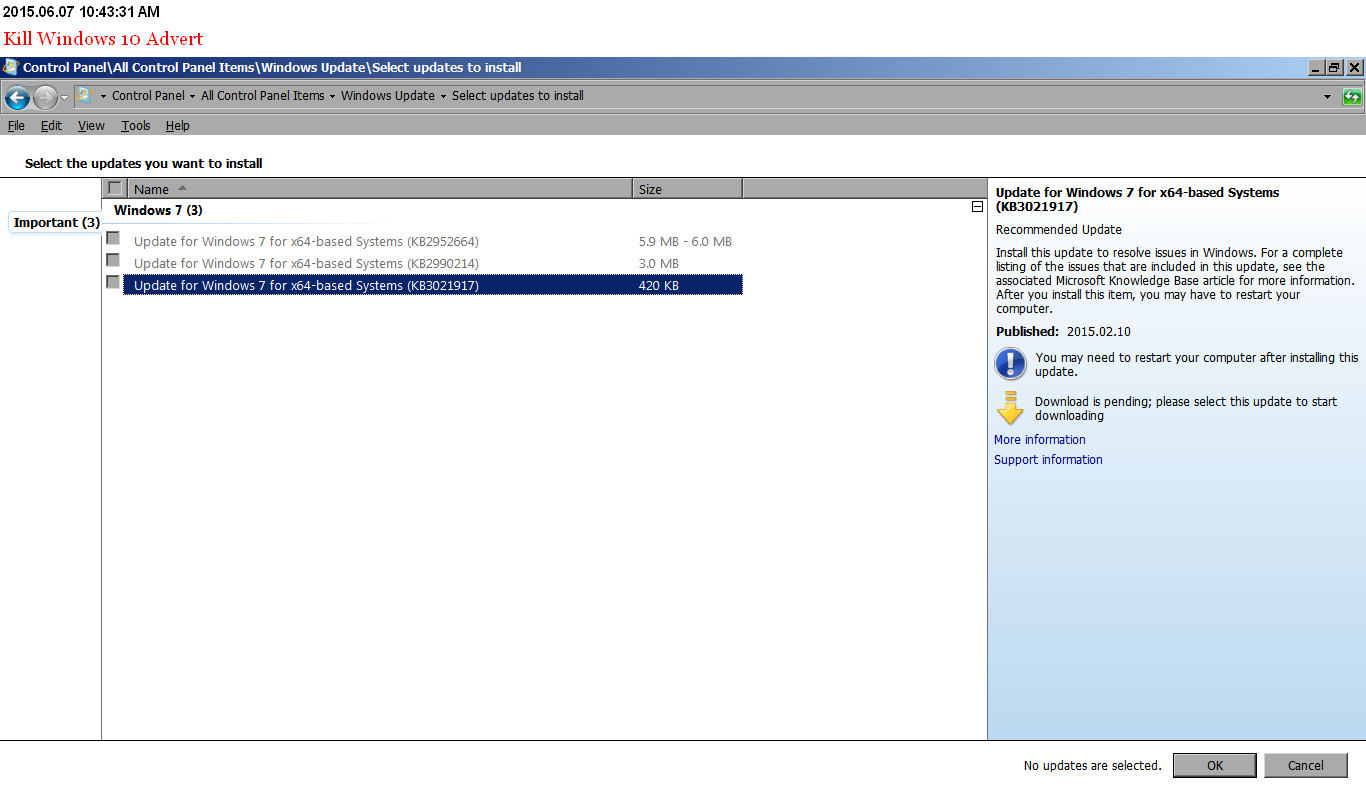 |
| Hiding Malicious Windows 7 "Updates" |
STEP 3: Disabling
Source: http://tech.slashdot.org/comments.pl?sid=7502429&cid=49836637
Go to Task Scheduler.In the scheduler library: \Microsoft\Windows\Setup\gwxDisable everything.I also disable these tasks in scheduler library:\Microsoft\Windows\Customer Experience Improvement Program:Disable task: ConsolidatorDisable task: KernelCeipTaskDisable task: UsbCeip\Microsoft\Windows\Application Experience:Disable task: AitAgentDisable task: Microsoft Compatibility AppraiserDisable task: ProgramDataUpdater
 |
| Disabling "gwx" shit |
 |
| Disabling "Customer Experience Improvement Program" spyware |
 |
| Disabling "Application Experience" spyware |
Also see:
http://insurgencymod.blogspot.com/2012/03/default-windows-7-services-reference.html
http://insurgencymod.blogspot.com/2012/02/pro-tip-minimal-windows-7-x64-services.html
http://insurgencymod.blogspot.com/2012/02/pro-tip-minimal-windows-xp-x32-services.html
IMSID4F61F82F926C57C5B60CA3E32814F120EC9A2441